
The Dharani Portal is Telangana’s official, integrated digital platform for managing land records, ownership verification, mutation services, and property registration. Operated under the Telangana government, Dharani brings together revenue and registration services into a single, legally recognized system.
Whether you are a buyer, seller, or landowner, understanding how Dharani works and what applies in 2025 is essential for conducting secure and compliant property transactions in Telangana.
This guide explains how to check land records, verify ownership, register property, obtain encumbrance details, and resolve common issues, based on rules and portal updates applicable as of December 2025.
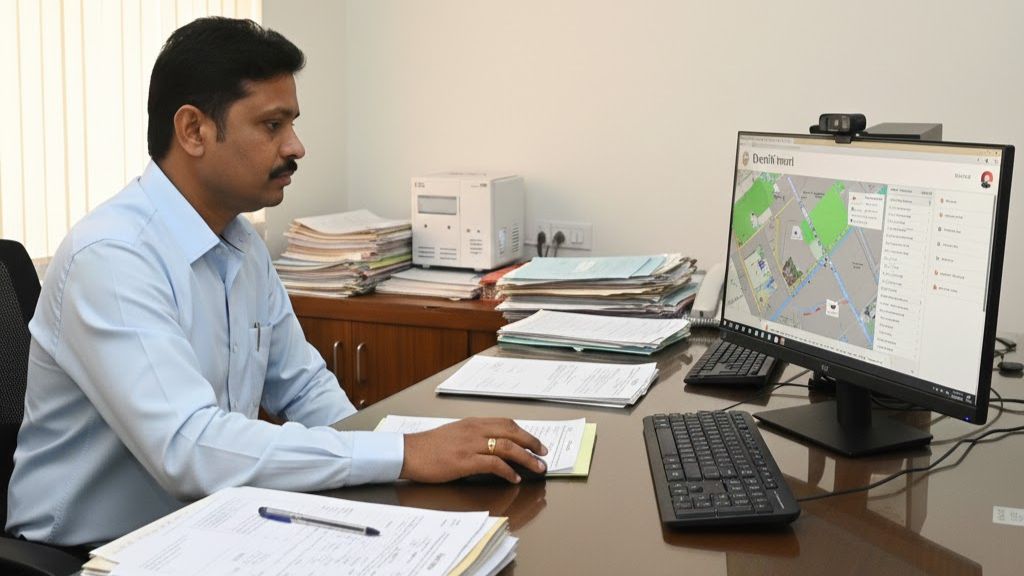
Table of Contents
What Is the Dharani Portal?
Launched by the Telangana government, the Dharani portal digitizes land administration to reduce manual intervention, prevent fraud, and ensure transparency in property dealings. It provides citizens with direct access to legally valid land records, online mutation services, and registration workflows without repeated visits to revenue offices.
The portal integrates records and services from:
- Telangana Revenue Department
- Registration & Stamps Department
- Chief Commissioner of Land Administration (CCLA)
Dharani is now the primary system of record for agricultural land and selected property-related services across Telangana.
What Applies in 2025? (Important Clarification)
Understanding applicability is critical:
- Agricultural Land
- Registration, mutation, ownership verification: Mandatory via Dharani
- GPS-based land sketch: Compulsory
- Non-Agricultural / Urban Properties
- Registration and EC generation continue through the Registration & Stamps (IGRS) system
- EC and land details remain viewable on Dharani
- Assigned / Government / Waqf Lands
- Transactions are restricted and flagged within the system
This distinction prevents confusion and avoids transaction delays.
Key Features of the Dharani Portal
- Telangana Land Records Search
Access land details using survey number, pattadar passbook number, or mutation data. - Online Property Registration
Mandatory for agricultural land and applicable categories as notified. - Encumbrance Details (EC View)
View registered transactions such as sales, mortgages, gifts, and leases. - Land Mutation Services
Apply for ownership changes due to sale, inheritance, or gift. - Document Access
View and download registered deeds and pattadar passbooks. - Ownership Verification
Check title holder name, land classification, and mutation history. - SMS and Email Alerts
Real-time updates on application and registration status.
How to Check Telangana Land Records Online
Citizens can verify land details digitally using Dharani.
Steps:
- Visit https://dharani.telangana.gov.in
- Select “Land Details Search” under Citizen Services
- Choose district, mandal, and village
- Enter survey number / pattadar passbook number / owner name
- Click “Fetch Details”
You can view:
- Owner (pattadar) name
- Survey and subdivision details
- Land extent and classification
- Ownership nature (freehold, assigned, etc.)
- Mutation status
This step is essential for property due diligence before purchase.
Telangana Land Records: 2025 Rule Updates
Under the Bhu Bharati Act, 2024, Telangana has introduced structural reforms to improve land accuracy and dispute resolution.
Mandatory GPS-Based Land Sketch (Agricultural Land Only)
From 2025:
- Every agricultural land registration must include a digitally verified land sketch
- Boundaries must be mapped with GPS coordinates
- Sketch must match revenue records and on-ground measurements
Objectives:
- Prevent double registrations
- Eliminate boundary disputes
- Improve title certainty
To support this rollout, the state is deploying trained and licensed surveyors across districts.
How to Register Property Through the Dharani Portal
Property registration through Dharani follows a structured digital workflow.
Steps:
- Log in using Aadhaar-based OTP authentication
- Select “New Registration” under services
- Enter buyer, seller, and property details
- Upload required documents (sale deed, ID proofs, etc.)
- Pay stamp duty and registration charges online
- Book a slot for biometric verification at the Sub-Registrar Office
- Complete biometric authentication
Once verified, the registration is digitally recorded, and an acknowledgment is issued.
How to Verify Land Ownership on Dharani
Ownership verification confirms whether the seller’s name is legally recorded.
Steps:
- Go to Land Details Search
- Enter district, mandal, village, and survey/passbook number
- Click “Fetch Details”
Displayed Information Includes:
- Pattadar name
- Land extent and classification
- Ownership type
- Mutation history
If the seller’s name does not appear, the transaction should not proceed without correction.
How to Check Encumbrance Certificate (EC) on Dharani
An Encumbrance Certificate shows whether land is subject to loans or legal claims.
Steps:
- Select “Encumbrance Details” on the portal
- Search using:
- Property details, or
- Registration document number
- Enter location and survey details
- Fetch records
Results Show:
- Registered transactions
- Names of parties
- Nature of transaction
- Document numbers and dates
If no entries appear, the land is generally considered free from registered encumbrances.
Slot Booking System for Property Registration
To reduce crowding and delays, Telangana has expanded the online slot booking system across all Sub-Registrar Offices.
Benefits:
- Pre-scheduled registration appointments
- Reduced waiting time
- Predictable registration timelines
Slots can be booked online before biometric verification.
Forensic Audit of Dharani Transactions (Oct 2020 – Dec 2023)
The Telangana government has conducted a system-level forensic audit of Dharani transactions processed between October 2020 and December 2023.
Purpose of the Audit:
- Identify irregular or unauthorized transactions
- Detect record tampering
- Safeguard government, endowment, and Waqf lands
This review does not affect lawful owners with valid documentation unless discrepancies are found.
Common Issues and How to Resolve Them
| Issue | Likely Cause | Resolution |
|---|---|---|
| Unable to fetch land details | Incorrect inputs or server load | Verify details, retry during off-peak hours |
| Registration submission failure | Missing fields or file format errors | Recheck form and upload PDF/JPG files |
| Payment errors | Gateway downtime or bank issue | Retry later or contact bank |
| Slot booking unavailable | High demand | Choose alternate time or date |
| Data mismatch in records | Pending mutation or clerical error | File correction request or visit MRO office |
Additional Tips for Smooth Use
- Monitor official portal notifications for maintenance updates
- Retain digital receipts and acknowledgment numbers
- Use updated browsers and stable internet connections
- Prefer early morning or late evening access to avoid peak traffic
- Contact the Dharani helpdesk or local revenue office if issues persist
Conclusion
The Dharani portal represents a significant transformation in how land records and property registrations are managed in Telangana. By centralizing ownership verification, mutation services, and registration workflows, it reduces fraud, improves transparency, and simplifies compliance for citizens.
However, successful use of Dharani depends on correct understanding of land type, current rules, and documentation requirements—especially with the 2025 GPS-based agricultural land regulations.
Always verify ownership, check encumbrances, and confirm land classification before completing any transaction. Proper due diligence today prevents legal complications tomorrow.
More Information
Stay informed about Telangana real estate regulations, land records, and property investment insights through Openplot. The platform provides practical guidance, market updates, and educational resources to help buyers and sellers make informed decisions.
Frequently Asked Questions
Q. How do I search for land records on the Dharani portal?
A. Use the Land Details Search option by entering the survey number, district, and village.
Q. Can I register property online using Dharani?
A. Yes. Agricultural land and select non-agricultural properties can be registered via the portal, followed by biometric verification.
Q. Is Dharani portal data legally valid?
A. Yes. Land records and registrations updated on Dharani are legally recognized by the Telangana government.
Q. How do I check property encumbrance on Dharani?
A. Use the Encumbrance Certificate feature to view legal and financial liabilities on a property.